Your own crew
of AI bots.
OpenKumi is a desktop app for AI bots that live on your computer. Each one has its own memory, its own browser that stays signed in, and only the powers you give it. They run on the Claude, ChatGPT or Grok plan you already have.
Free and MIT-licensed. No API key, no account.
Runs on the subscription you already pay for
- Claude Codeyour Claude plan
- Codexyour ChatGPT plan
- Grokyour Grok plan
- Ollamafree, on your computer
- LM Studiofree, on your computer
- Any OpenAI-compatible APIOpenRouter, OpenAI and more
Less like a chat window. More like a colleague.
Every bot is someone with a job, a memory and tools of its own. You decide what it can do; it gets better at doing it.
One bot, one conversation
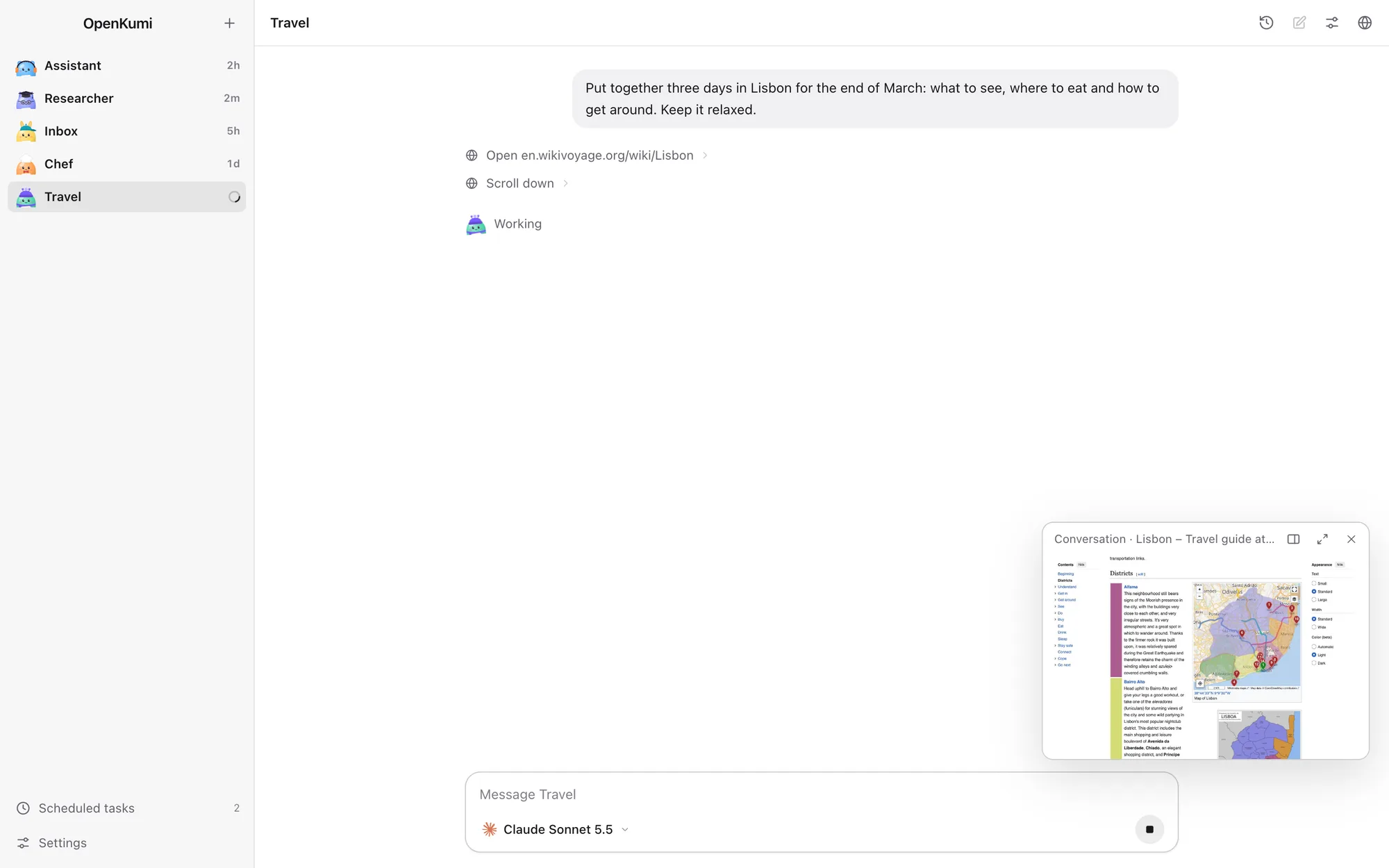
A bot is someone you talk to, not a pile of chats. Whatever you say lands in the same conversation, and the bot can look up anything said in it, however long ago. Want a clean page? Start fresh, and the conversation so far is kept to read, search or pick up again.
A browser of its own, already signed in
Every bot gets its own Chrome profile. Sign in to a site once and that bot stays signed in, with nothing shared between bots or with your own browser. Watch it work in a live view, take control whenever you like, and hand it back when you are done. If it meets a sign-in page or a CAPTCHA, it asks you and waits.
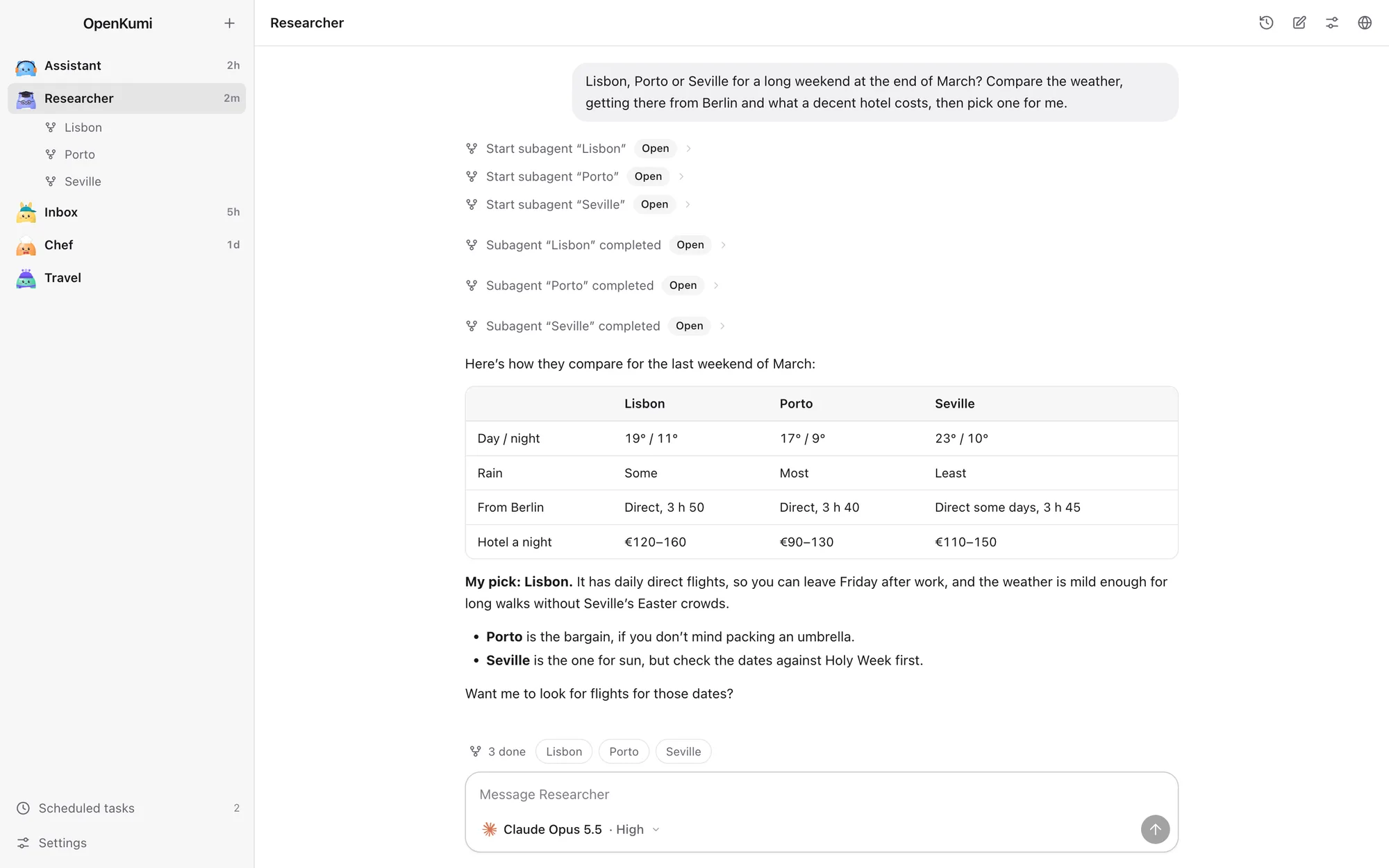
Big jobs, split into subagents
A bot can hand parts of a task to subagents that work in parallel, each in its own thread. Watch them live, open one to read or nudge it, or stop it. When they finish, the results flow back to the bot that asked.
It learns how you like things done, in the open
Each bot keeps its own instructions and a memory folder, and rewrites them as it learns how you want it to work. Every change it makes to itself is recorded and shown to you, and any of them can be undone.
Works while you are away
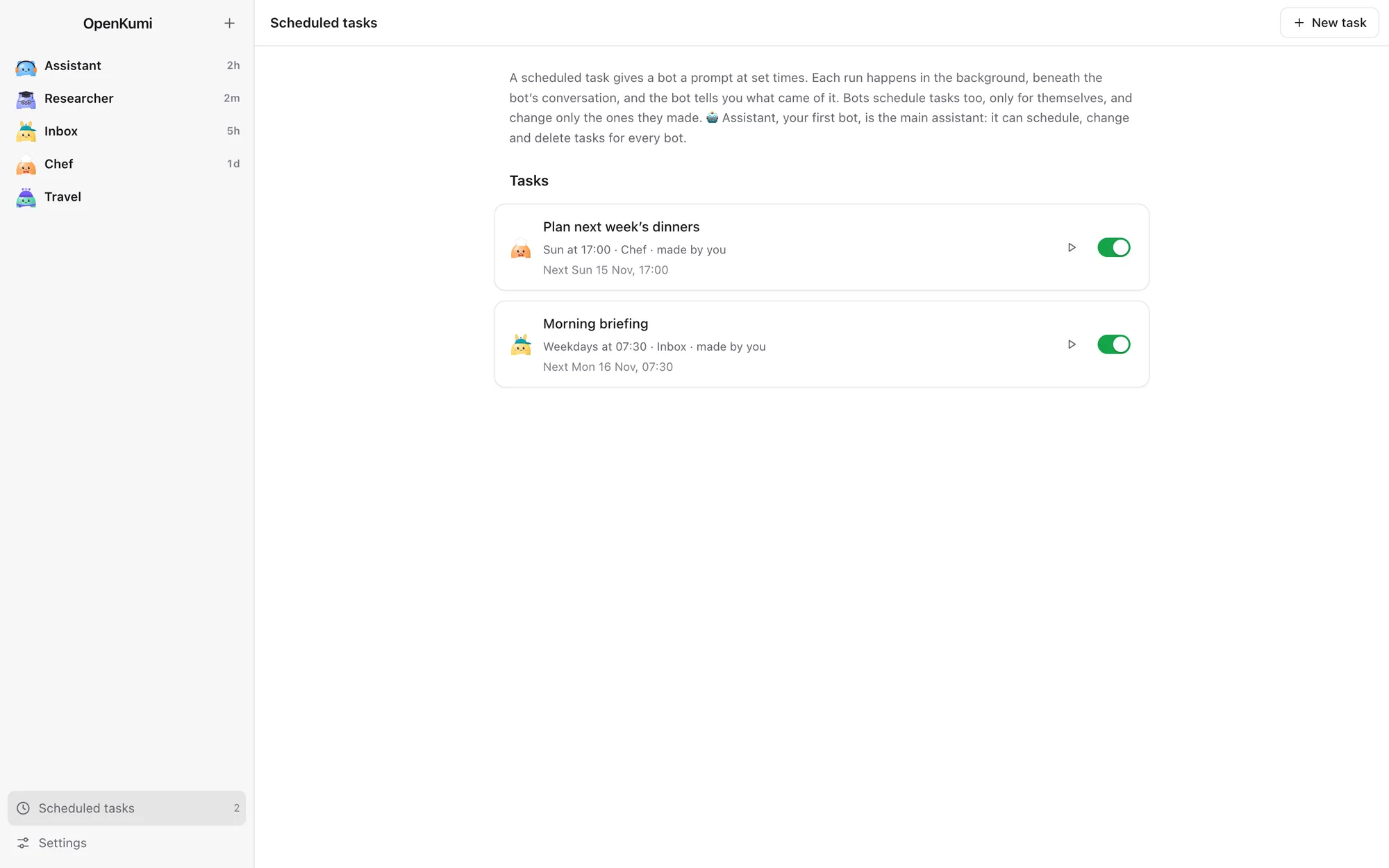
Ask for something every weekday at eight, or once next Friday. It runs in the background and reports back in the bot’s conversation.
Answers you can look at
Code in colour, tables, diagrams and formulas. A bot can also show a whole page in the conversation: a chart, a dashboard, a timeline.
A team that knows itself
Every bot follows one set of principles, yours to change, and knows who the others are, so it hands a task to the one it fits. Need a new one? Just ask in chat.
Powers you hand out, one bot at a time
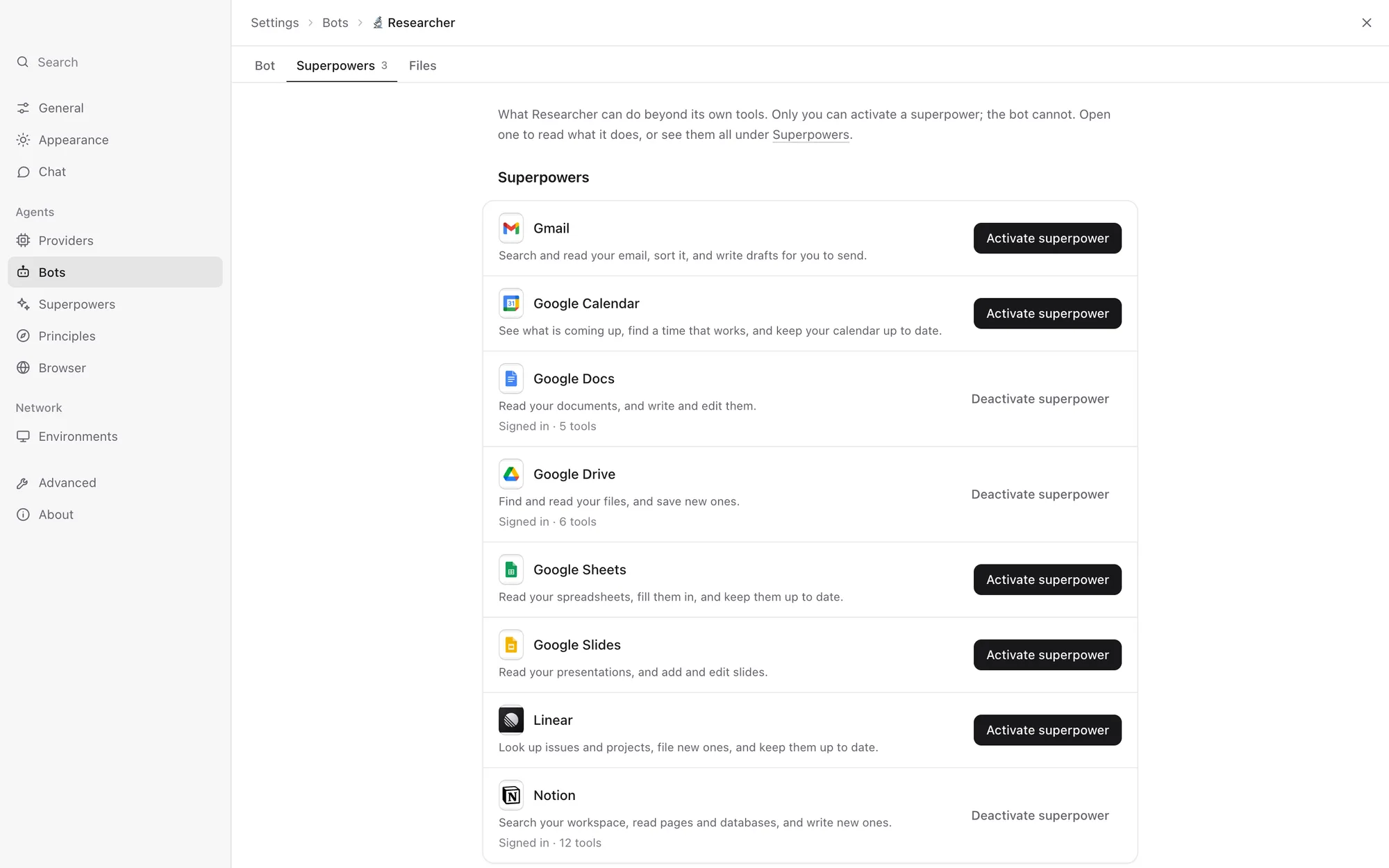
Let a bot work in your mail, calendar, files and tools. Each superpower says exactly what it can do and signs in with an account of the bot’s own. A bot can use what you give it, and never give itself more.
 LinearLook up issues and projects, file new ones, and keep them up to date.
 NotionSearch your workspace, read pages and databases, and write new ones.
Everyone on the crew gets a face
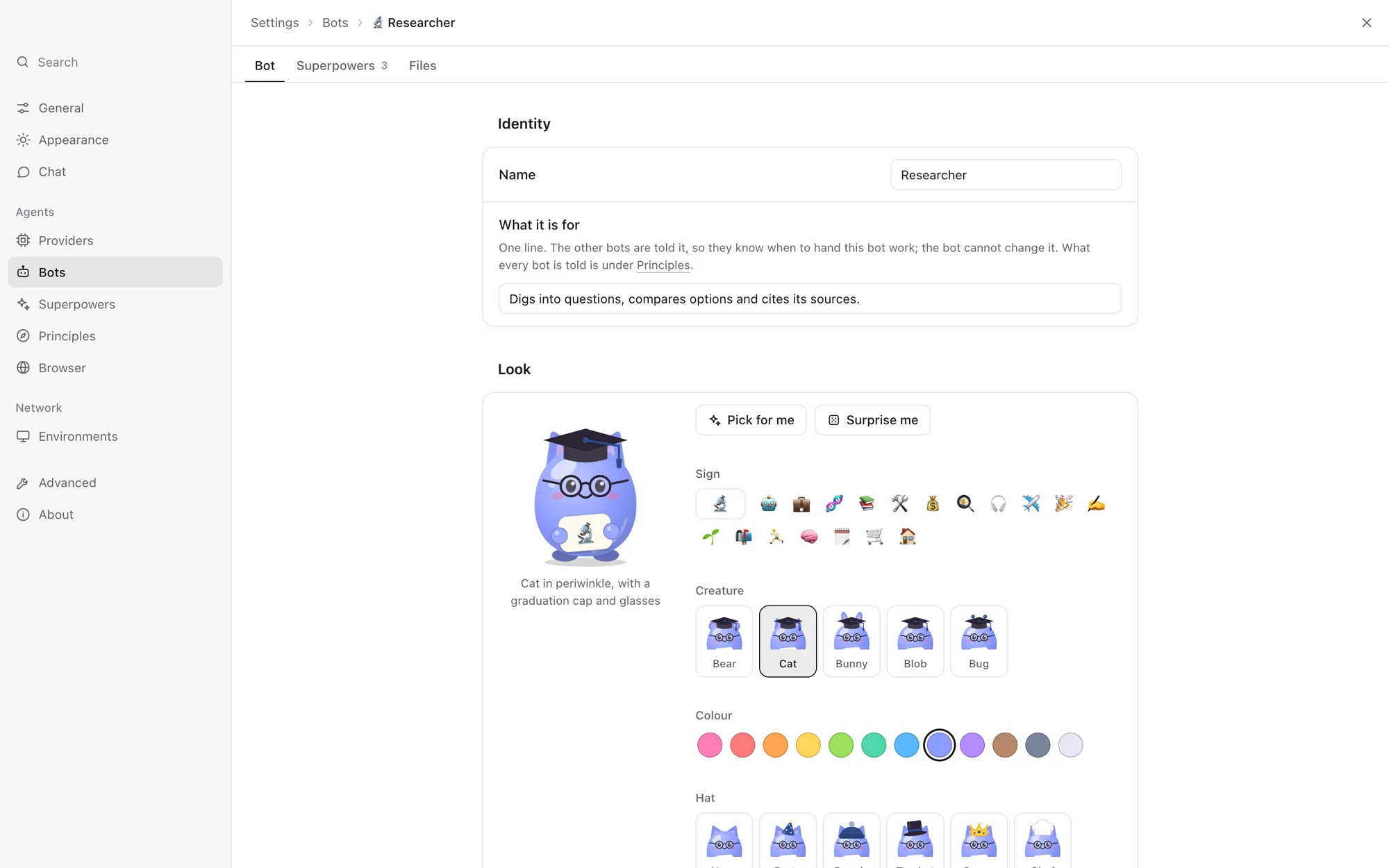
Every bot is a little jelly creature holding a sign with its emoji. Pick its creature, colour, hat and clothes, or let a new bot dress itself from its name and what it is for.
- AssistantEveryday questions, first stop for anything new
- ResearcherReads widely, answers with sources
- InboxSorts mail, drafts the replies
- ChefPlans the week’s meals and the shopping
- TravelFinds flights, keeps the itinerary
- MoneyWatches bills and subscriptions
- CoachKeeps the training plan honest
- IdeasBrainstorms, then hands off the work
The real thing
Straight from the app, in your system’s light or dark.
A bot is a folder you can open
What a bot can do is yours to decide: its model, its rules and its superpowers sit where only you can change them. What it knows is its own, kept as plain files it writes itself, with a history you can undo.
- No OpenKumi account and no OpenKumi cloud. Everything lives in
~/.openkumi. - What you say to a bot goes only to the model provider it runs on.
- Logins stay in the bot’s private folder, where even the bot cannot read them.
bot.md              yours: name, model, rules
superpowers.json    yours: what it may use
workspace/          its own
├── AGENTS.md       how it works, in its words
├── memory/         what it has learned
└── files/          what it made for you
private/            its browser and logins
On this Mac, a computer at home, or your phone
Bots run on this Mac, or on another computer of yours that stays on. Pair a laptop or an iPhone with a one-time code that both sides check and that never crosses the network. At home they connect directly; away from home, over Tailscale.
The iPhone app lets you chat with your bots, watch and steer their browsers, and look after their settings and scheduled tasks.
Good to know
Is OpenKumi free?
Yes. OpenKumi is open source under the MIT License. Your bots run on a subscription you already have (Claude, ChatGPT or Grok), on free local models, or on any OpenAI-compatible API you choose.
Do I need an API key?
No. If Claude Code, Codex or Grok is installed and signed in on the computer, OpenKumi uses it, and Settings shows what is connected. Local models through Ollama or LM Studio are found on their own. An API key only comes in if you want to use an OpenAI-compatible endpoint.
Where does my data live?
On the computer that runs your bots, in plain files and a database in ~/.openkumi. There is no OpenKumi account and no OpenKumi cloud. What you say to a bot goes to the model provider that bot runs on, and nowhere else.
Could a bot do something I did not want?
A bot has only the superpowers you switch on for it, and cannot change them or give itself more. Each superpower asks before the things you would want to approve. When a bot edits its own instructions, you see the change and can undo it.
What do I need to run it?
A Mac with Google Chrome (each bot browses in a Chrome profile of its own), plus something for the bots to run on: Claude Code, Codex or Grok signed in, Ollama or LM Studio running, or an OpenAI-compatible API. The same code builds for Windows and Linux.
Can I use it from my phone or another computer?
Yes. Bots can run on a computer of yours that stays on, and your laptop or iPhone pairs with it using a one-time code. At home they connect directly; away from home, over Tailscale.
Meet your crew.
Free, open source, and running on your own computer in a few minutes.